Overview
The overview provides an organisational or per domain summary of the credential breaches detected by the system.
Quick Glance

NOTE: Scores are averaged over a 60 day rolling window, to ensure old data does not affect the current risk view.
Security Alarms
This tile will highlight red if there have been any new credential exposures detected within the last 24 hours. Clicking on this tile will take you to the Exposure Footprint view.
Since Last Exposure
This tile indicates the number of days since the last detected credential exposure was detected.
Affected Users
This tile shows the number of user credentials that have been exposed. This is not the total user count but an indication of the unique credentials that have been found to be associated to your monitored domains.
Affected domains
Should you have more than 1 domain being monitored, the number of domains that have had credential exposures will be show in this tile.
Exposure Duration
The exposure duration tile provides valuable information to determine the average number of days which have lapsed since a credential exposure was claimed by the threat actor before being made available. This provides an indication of how long the organisation was at risk of the credential being used for malicious purposes.
Hovering over the (i) icon on the tile provides more detailed insights into the minimum, longest and average durations across all credential exposures detected.
Risk Rating
The risk rating provides an overview of the current Organisational Risk because of leaked credentials.
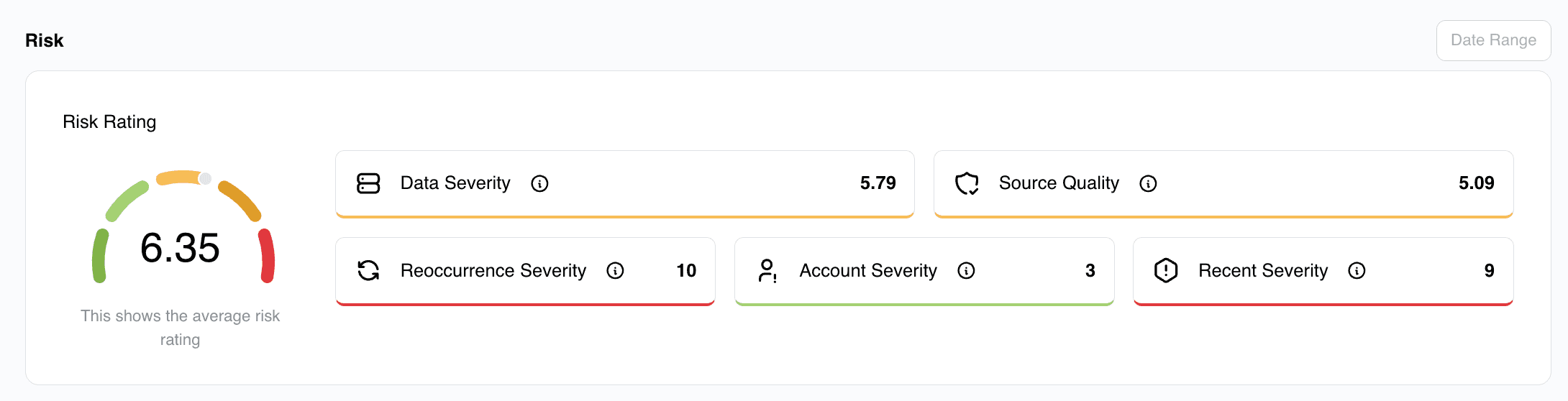
The rating uses an algorithm to calculate the overall risk rating using the following metrics: NOTE: Rating is averaged over a 60 day rolling window, to ensure old data does not affect the current risk view.
Data Severity
Data Severity refers to the level of potential risk or impact associated with a specific credential exposure - for example, whether the leaked data includes only an email address or additional sensitive information such as plaintext passwords, personal details, or multi-factor authentication secrets. A Higher severity level indicates a greater likelihood of active account compromise and potential misuse, requiring more urgent remediation actions.
Severity Ratings are scored as follows:
- Passwords (10)
- Credit Card Info (10)
- Government ID Numbers (10)
- Security Questions And Answers (9.5)
- Payment Histories (9)
- Phone Numbers (8)
- Physical Addresses (8)
- Employment Information (7.5)
- Sexual Preferences (7.5)
- Social Connections (7)
- DOBs (6)
- IP Addresses (6)
- Education (5.5)
- Device Information (5.5)
- Marital Status (5)
- Drinking And Drug Usage (5)
- Emails (4)
- Usernames (3.5)
- Names (3)
- Genders (3)
- Website Activity (3 → 8 depending on sensitivity)
Source Quality
Source Quality refers to the trustworthiness and relevance of the source from which the exposed credentials were obtained - for example, whether the breach data comes from a verified, credible breach or a low-confidence, unverified leak. High source quality means the exposure is confirmed and actionable, while low source quality may indicate outdated, duplicate, or unreliable data that needs further validation.
Reoccurance Severity
Reoccurrence Severity refers to the risk level associated with how often the same credentials or user details appear across multiple breaches or leaks. Frequent reoccurrence indicates that the credentials are consistently being reused or remain exposed over time, greatly increasing the likelihood of exploitation. This could signal poor password hygiene or persistent compromise risks which require immediate attention.
Account Severity
Account Severity measures the potential impact if the exposed account is compromised - for example, whether the credentials belong to a high-privilege admin account, a financial system, or a standard user login. Higher account severity means that unauthorized access could lead to significant data loss, financial fraud, or wider security breaches, and therefore demands urgent mitigation. The account severity level can be configured under the Monitored Identities Tab.
Recent Severity
A higher severity is assigned based on how recently the credentials were exposed or breached. More recent leaks pose a higher threat because the data is more likely to be valid and actively exploited by attackers, whereas older exposures may already have been mitigated or have stale information.
Exposure Trends
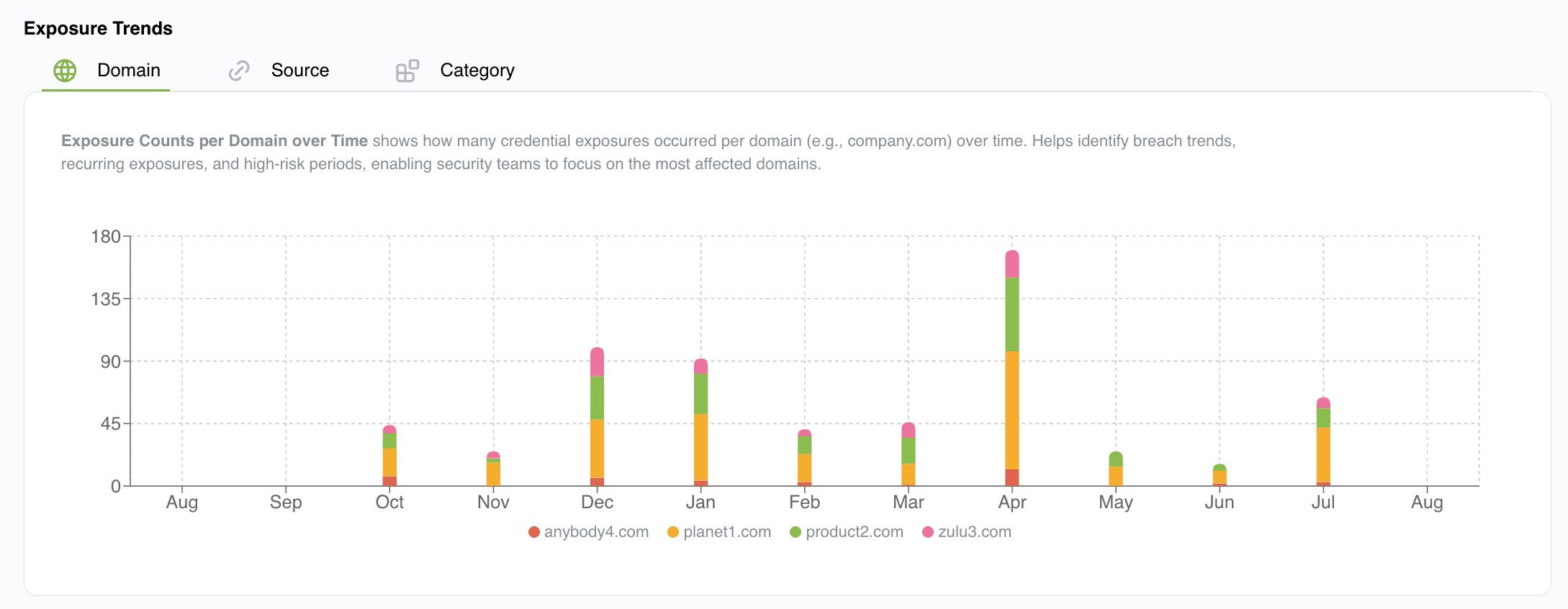
Domain
Exposure Counts per Domain over Time shows how many credential exposures occurred per domain (e.g., company.com) over time. This helps identify breach trends, recurring exposures, high-risk periods, and higher risk domains, enabling security teams to focus on the most affected domains.
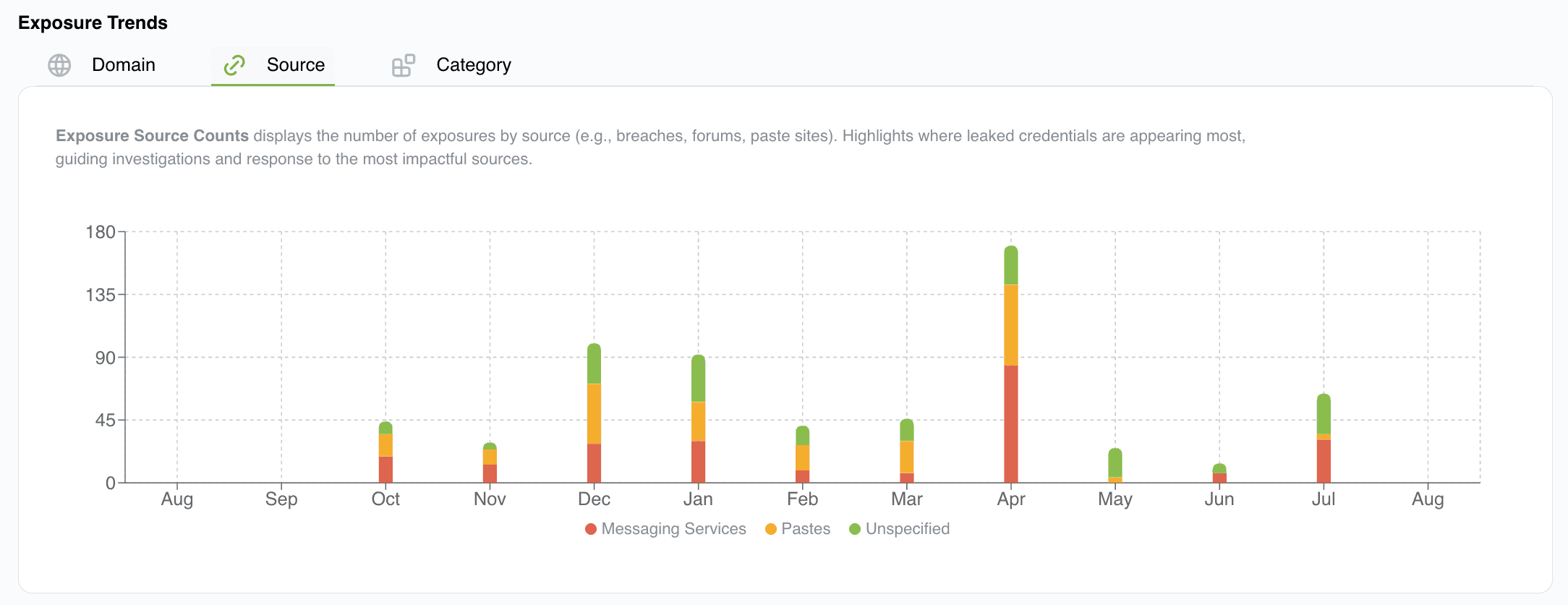
Source
Exposure Source Count displays the number of exposures by source (Where the data was collected. e.g., Cybercrime Forums, Messaging Services, Dark Web Markets etc). Highlights where leaked credentials are appearing most, guiding investigations and response to the most impactful sources.
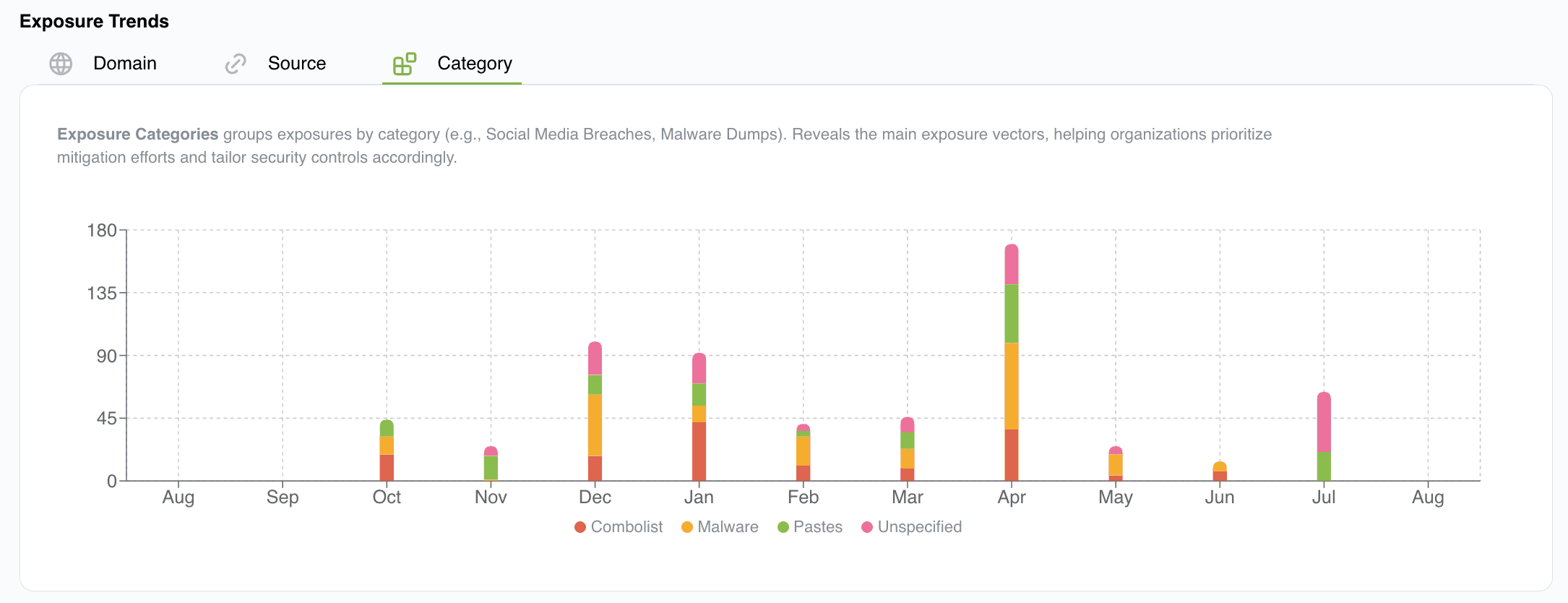
Category
Exposure Categories groups exposures by category (e.g., Social Media Breaches, Malware Dumps). This reveals the main exposure vectors, helping organizations prioritize mitigation efforts and tailor security controls accordingly.
Top 10 Exposed Entities
This section provides a summary view listing the Top 10 exposures by source, user, category and domain.
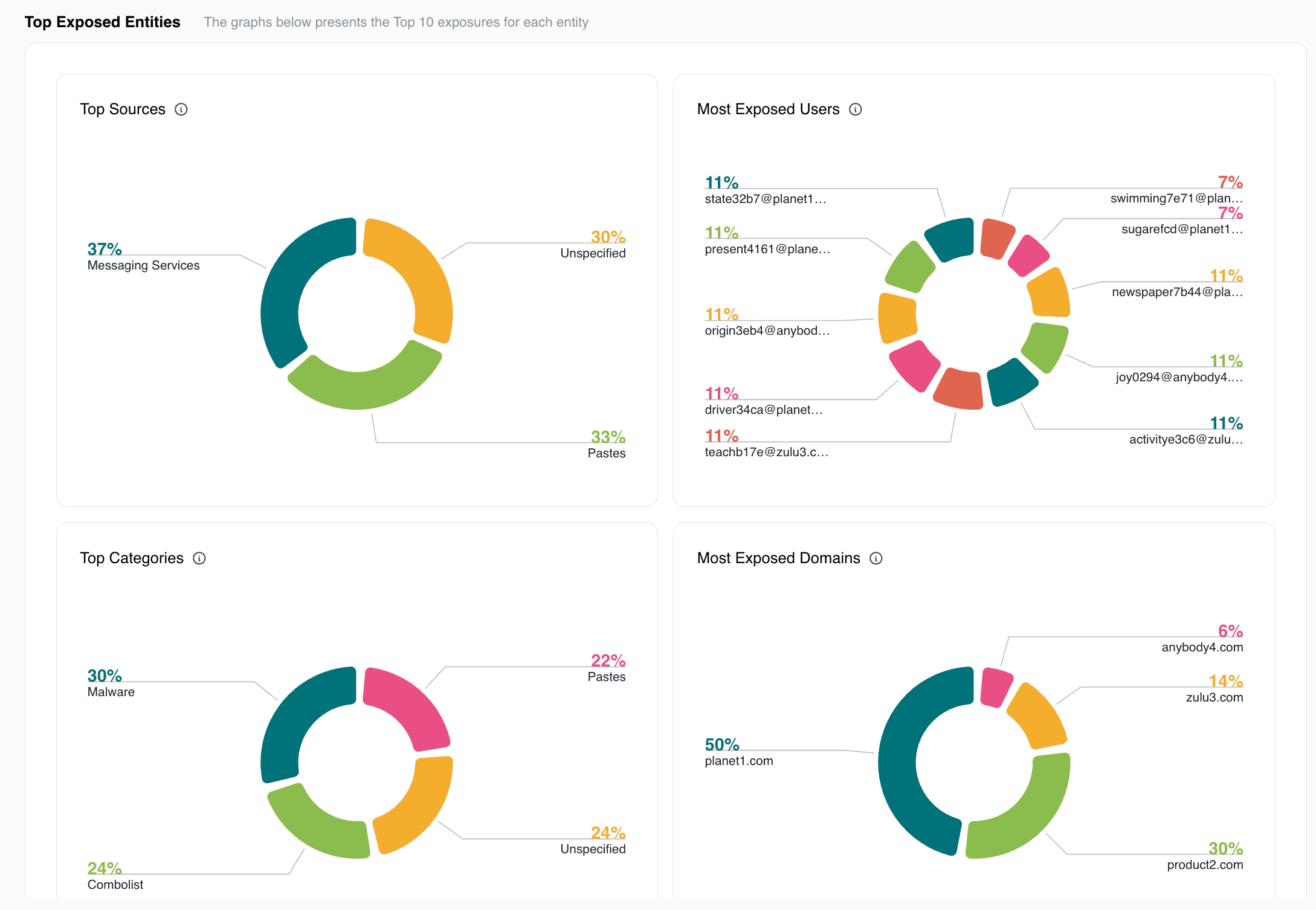
Top Sources
Top 10 platforms or services where the leaked data originates from - eg, websites, forums, apps that were breached.
Top Users
The Top 10 individual accounts or email addresses that were exposed in the leaked. This represents the impacted users.
Top Categories
The Top 10 categories where the information was obtained from. Users use their credentials at many different sites and services. This gives an insight into what those sites might be.
Top Domains
The top 10 email domains linked to the exposed accounts.