Monitored Identities
This section allows users with the required privileges to adjust the inclusion and exclusion of users in the dashboards. It also allows for adjusting the account type which is taken into consideration when performing risk score calculations.
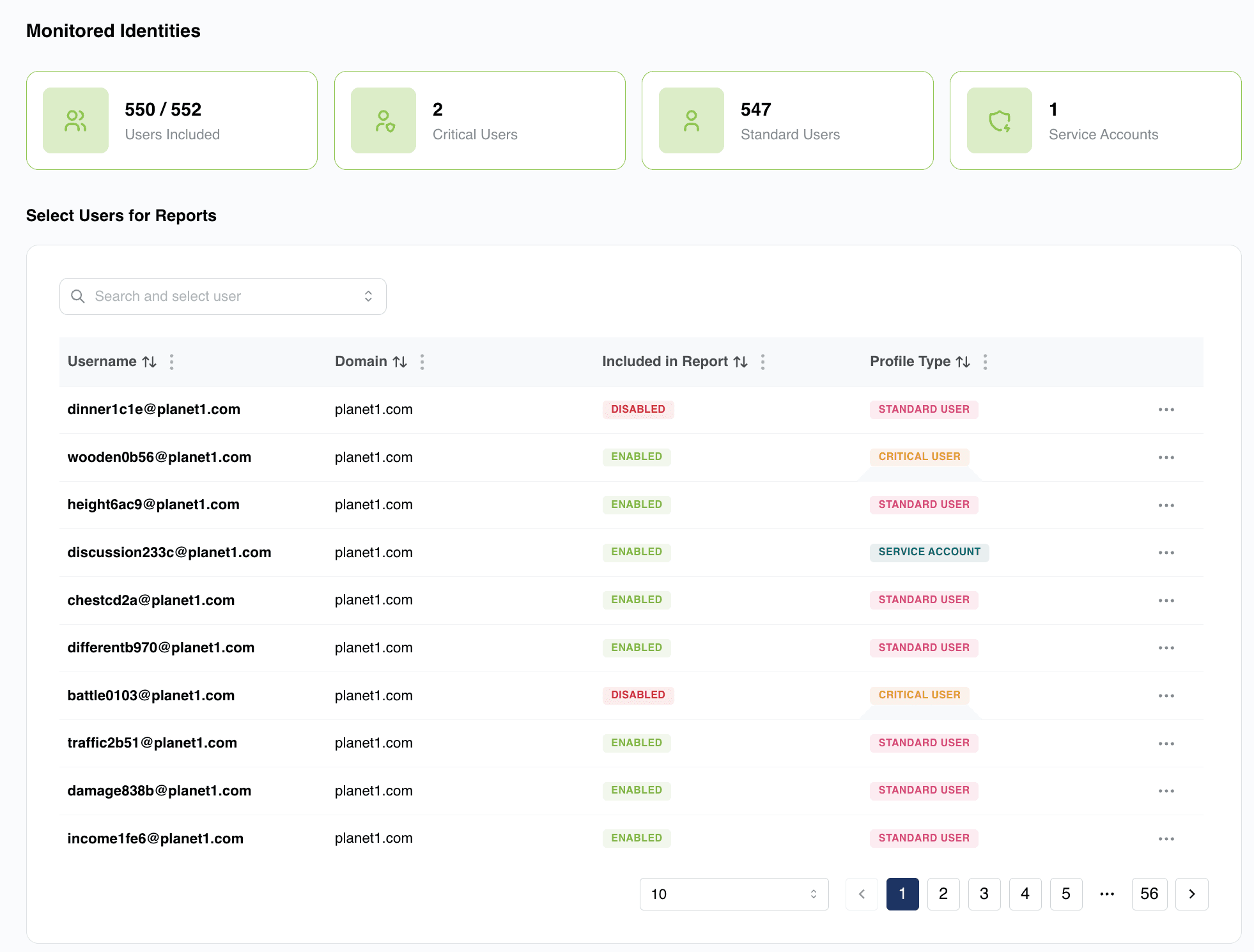
he first tile shows the number of monitored users related to the total number of users which leaked credentials.
You can then see the number of Critical Users as configured by the organization.
Standard Users gives a count of the standard user count in the organisation.
The last tile displays the number of Service accounts for the organisation.
Adjustments to users can be performed by clicking on the (…) in the last column.
For unmonitored users you will be given the option to turn monitoring back on and to set the Profile Type as per the following details.
For Monitored users you will be given the option to “View Exposure” which will take you to the Credential Monitoring Tab as described above, or you can Edit the user.
Editing User
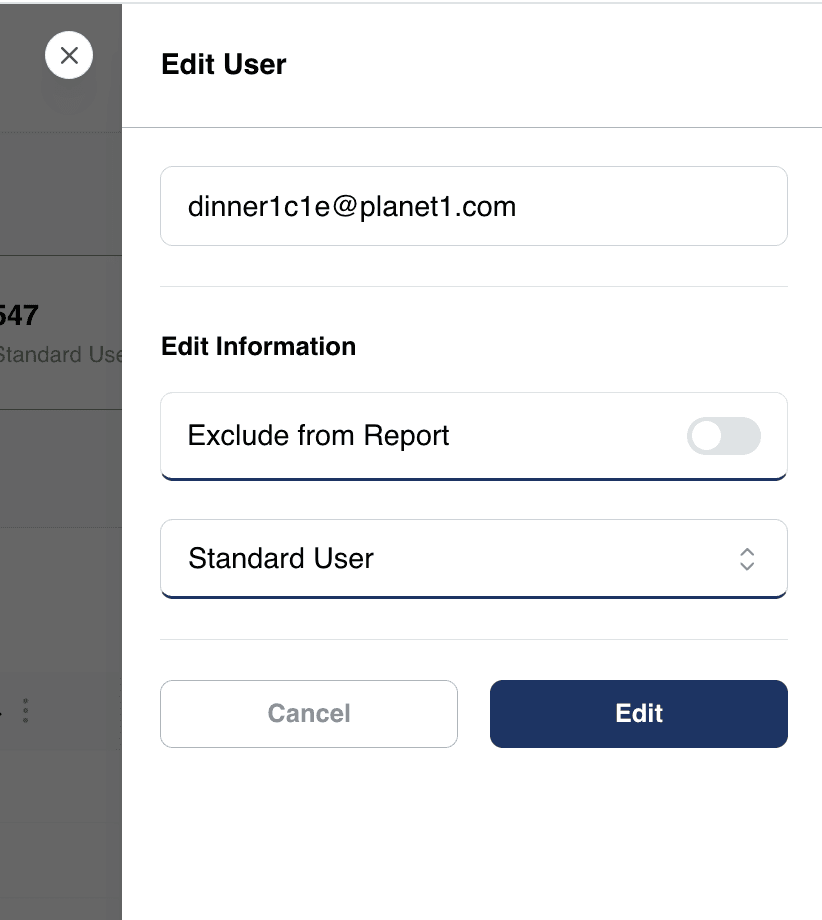
Turning OFF the Include in Report toggle will exclude the selected user from any reports and calculations related to the organisation. This user will then no longer affect the calculated Risk Rating of the Organisation (Unmonitored).
The next options allow an administrator to configure the Profile Type of the user, the options being:
Standard User
This is the default configuration and ensures the username is treated as a normal user with no additional high-risk permissions
Critical User
Critical users, such as Senior Management and other high-profile users can be configured using this option. This ensures that any leaks related to these users are given a higher severity and risk in the overall Risk Rating scores
Service Account
The Service Account Profile Type can be assigned to service account credentials which may also require a more focused attention and are given a higher severity due to the inherent risks associated with these account types due to static passwords etc.