Exposure Footprint
The Exposure Footprint tab provides a high lever view of the how exposures are distributed for the organisation across Domains, Users, Sources and Categories.
The footprint can also be filtered to specific domains if the organisation has subscribed for multiple domains.
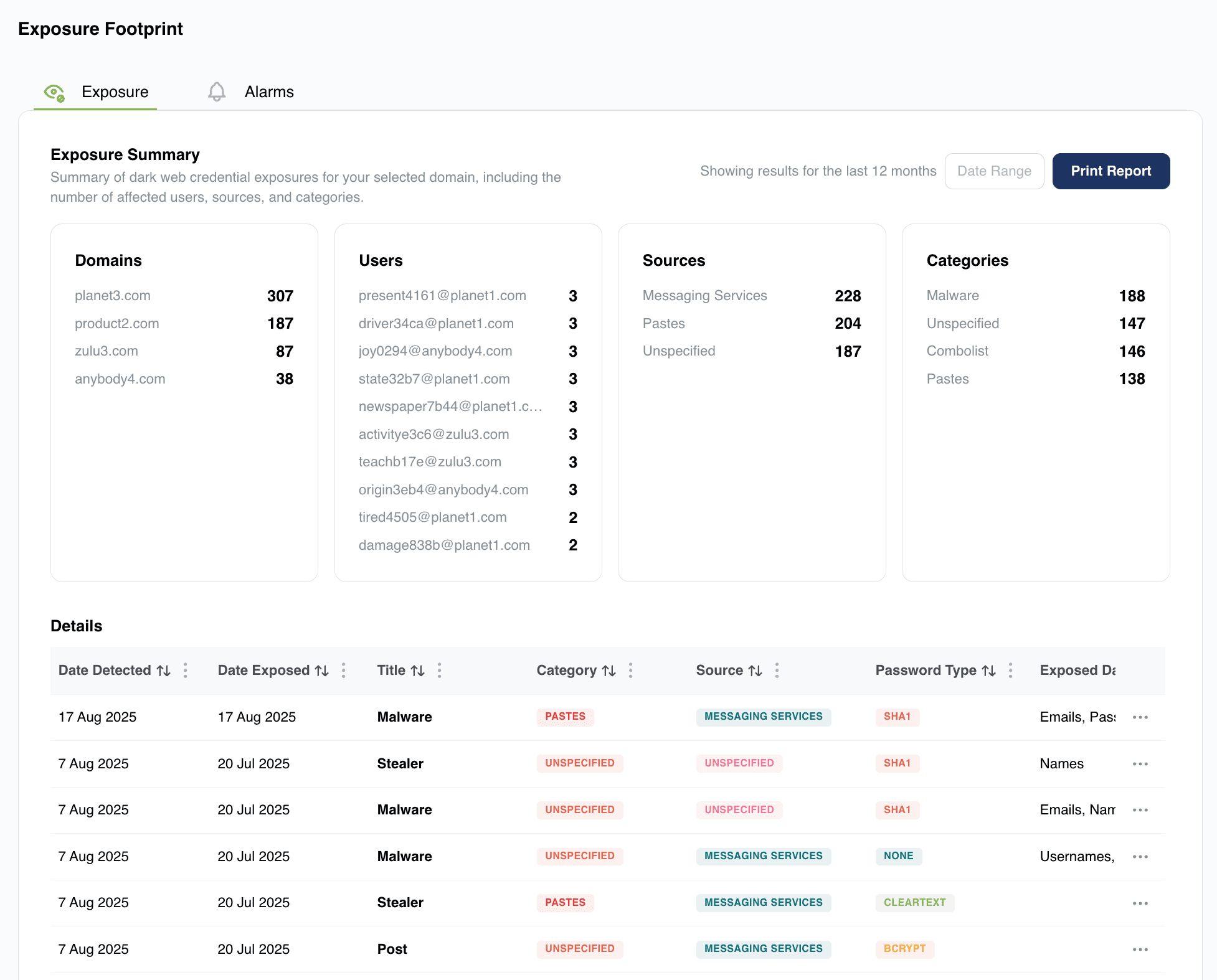
Domains
This tile shows the number of detected leaks per subscribed domain. Should there be multiple domains this information will allow the organisation to focus their remediation plans on the most affected domain(s).
Users
The Users tile provides a list of the Top 10 individual leaked credentials and the number of leaks per credential that have been detected. This information is useful to allow the organisation to focus their attention on the most actively leaked users.
Sources
Information is provided on the top leak sources, such as Messaging Services, Pastes etc.
Categories
The top categories of the leaked credentials such as Malware, Pastes, etc.
Details
The Details section provides a filterable list of all recent leaks in which credentials of interest have been detected.
Some interesting Details from this list include:
Title
This gives the Title of the exposure. If the source is a Breach, the domain of the origin site is listed. In cases where it is not possible to determine the origin site the Title will be Unknown and will include the date the leak was found and included in the leak database.
Password Type
This column provides further information on the type of password included in the leak. Cleartext Passwords would require less effort to use than encrypted passwords so would warrant a higher severity than encrypted passwords.
Exposed Data
The type of data included in a leak is important to determine the severity of a leak. The more information that is available the more sever the leak would be considered due to the increased potential for Phishing, Vishing and other attacks going forward.
Exposed Users
Provides a list of relevant credentials found in the Exposure. From this information it is possible to view details of a specific credentials (Credential Monitoring Tab)